Beyond Code: Mill, Lathe, 3D Printing, Laser Cutting, Soldering & Welding
Recently, I’ve been thinking that versatility is the most important skill for a robotics engineer in the age of AI. The University of Michigan has two places to learn manufacturing skills, from basic machining and 3D printing to CNC and welding, so I decided to learn everything they offer. The training map is below. This post is where I keep track of what I’ve learned and built.
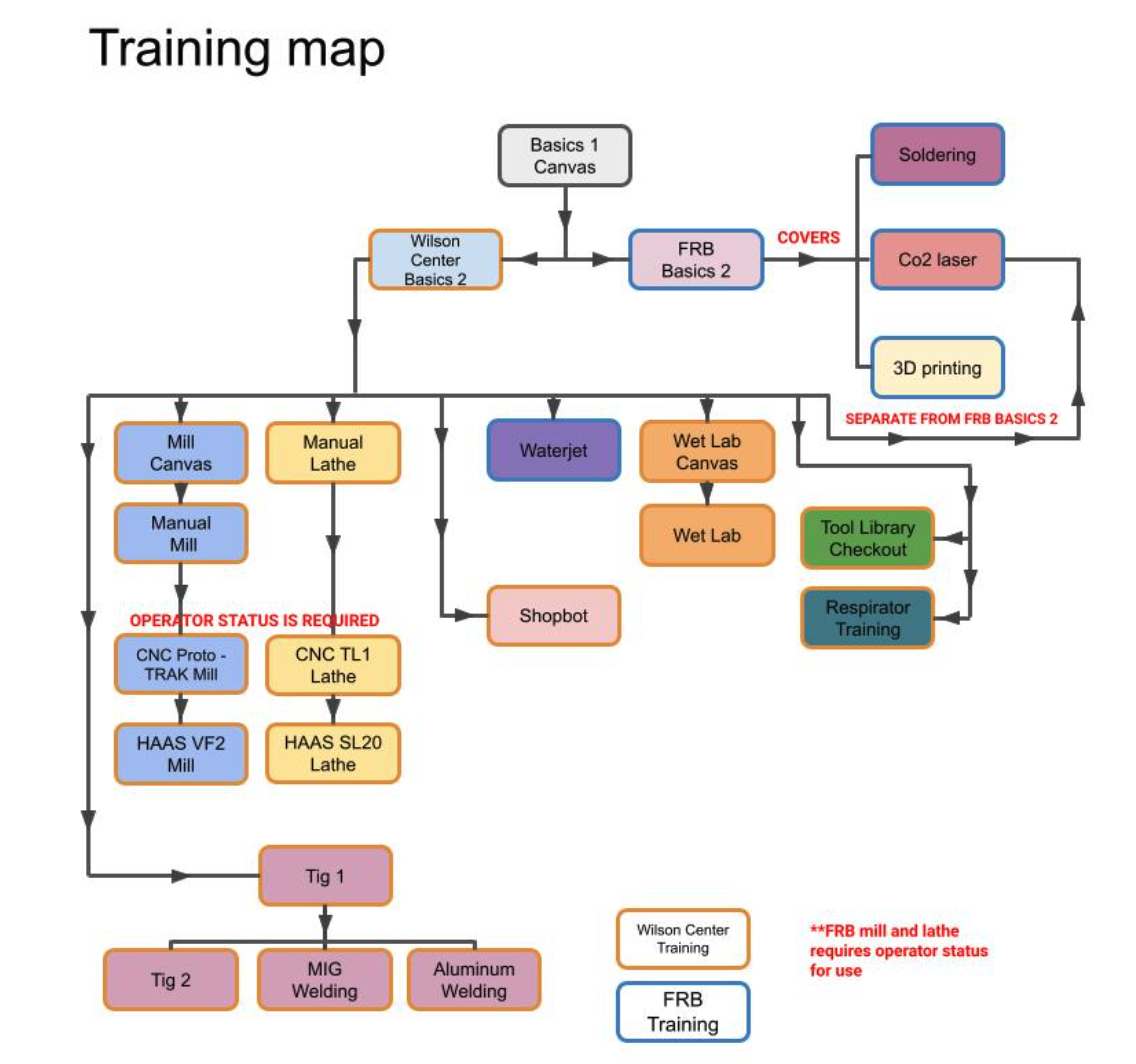
Table of Contents
Getting Started
Basic Workshop Safety I
Location: Canvas
Completed: October 13, 2026
This is the starting point for all training sessions. It introduces basic workshop safety rules through Canvas modules and quizzes that must be passed.
Wilson Center Basics II
Location: Wilson Student Team Project Center
Completed: October 15, 2026
This is the starting point for all hands-on training at the Wilson Center. It consists of two parts. The first is on Canvas, with videos and quizzes covering the basics and introducing the final project.
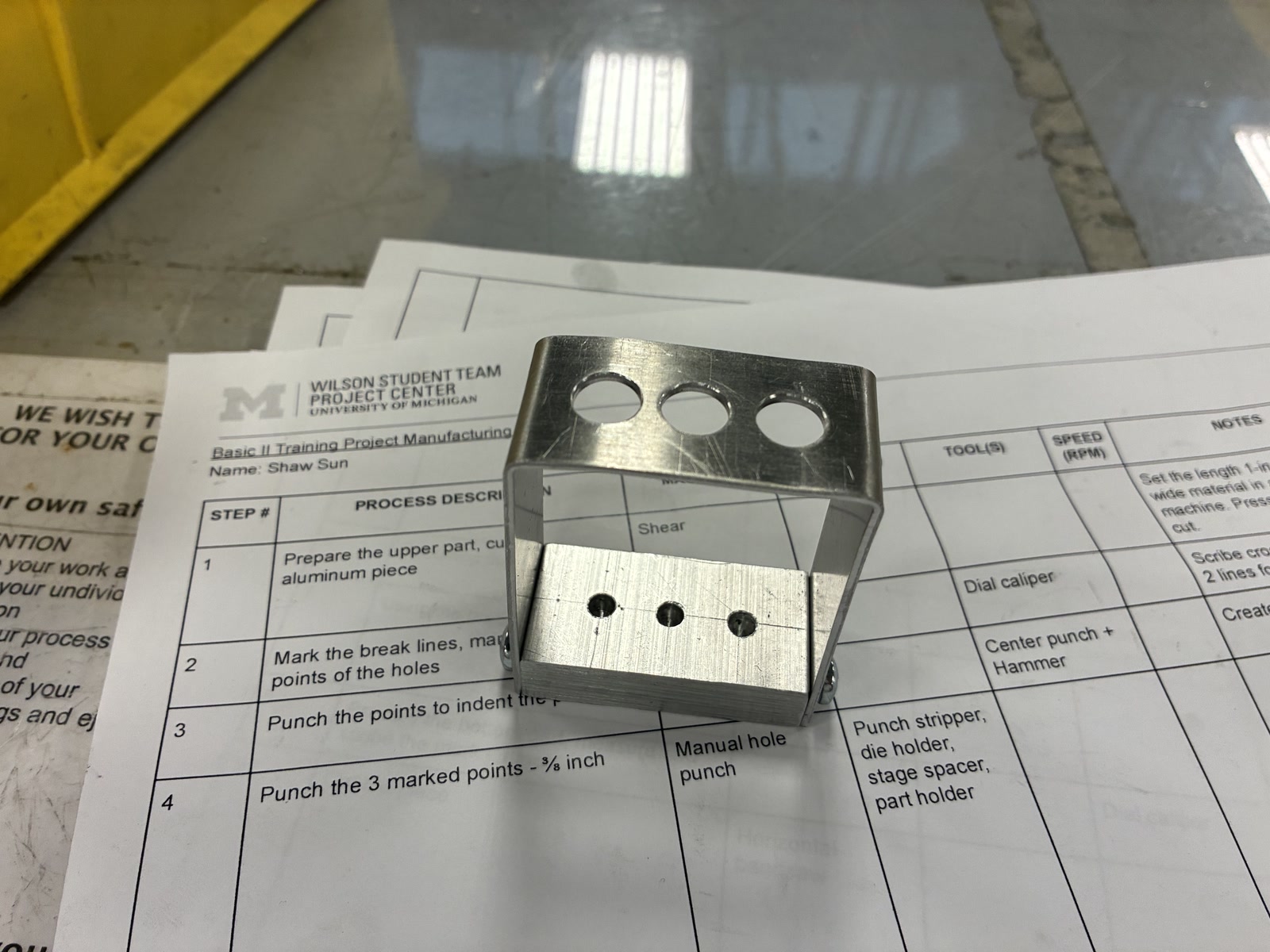
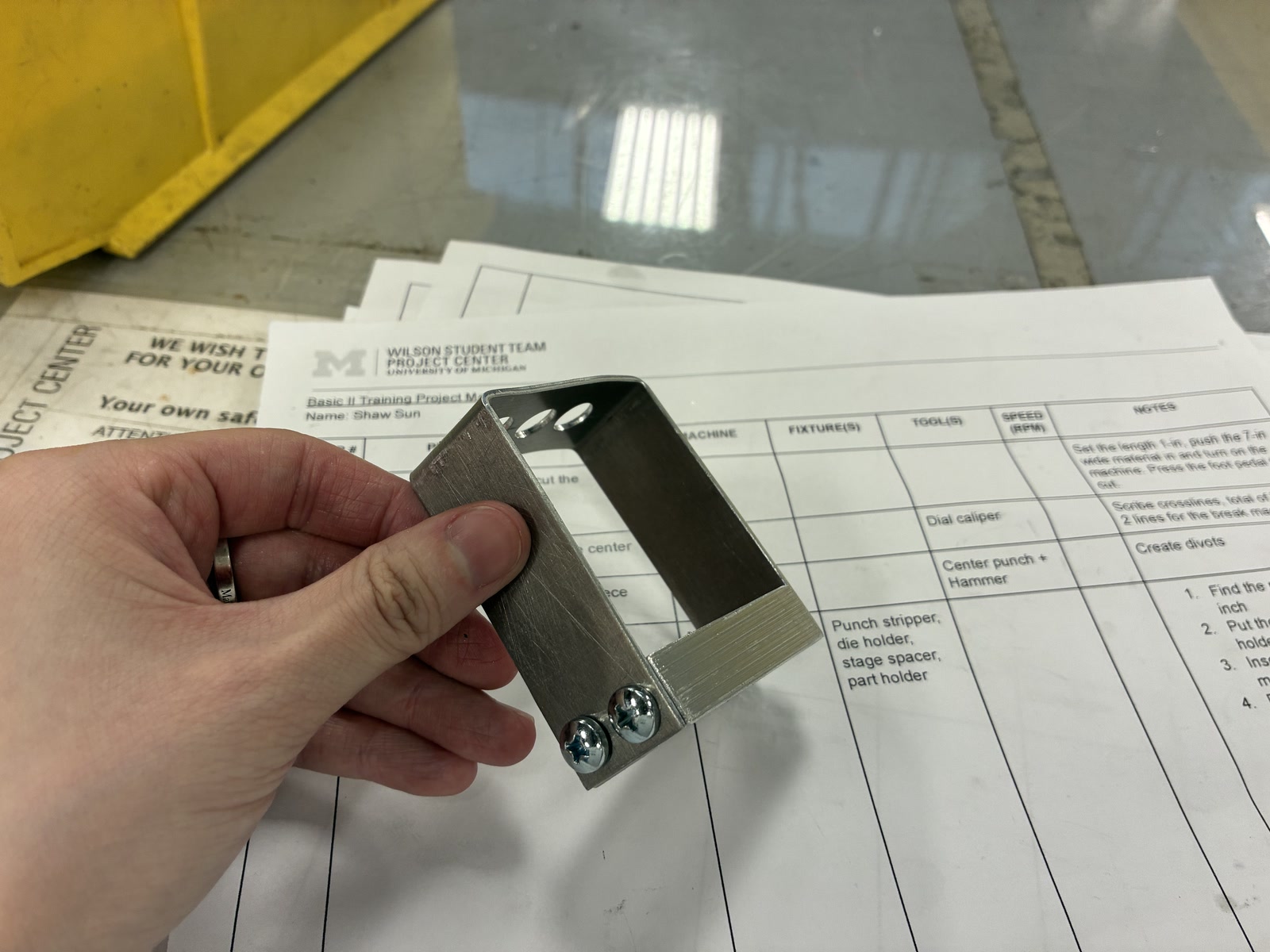
The second part is an in-person project. I made two aluminum pieces using the workshop tools below.
| Final Result - A pencil holder | |
|---|---|
 |
 |
| Photo | Tool and notes |
|---|---|
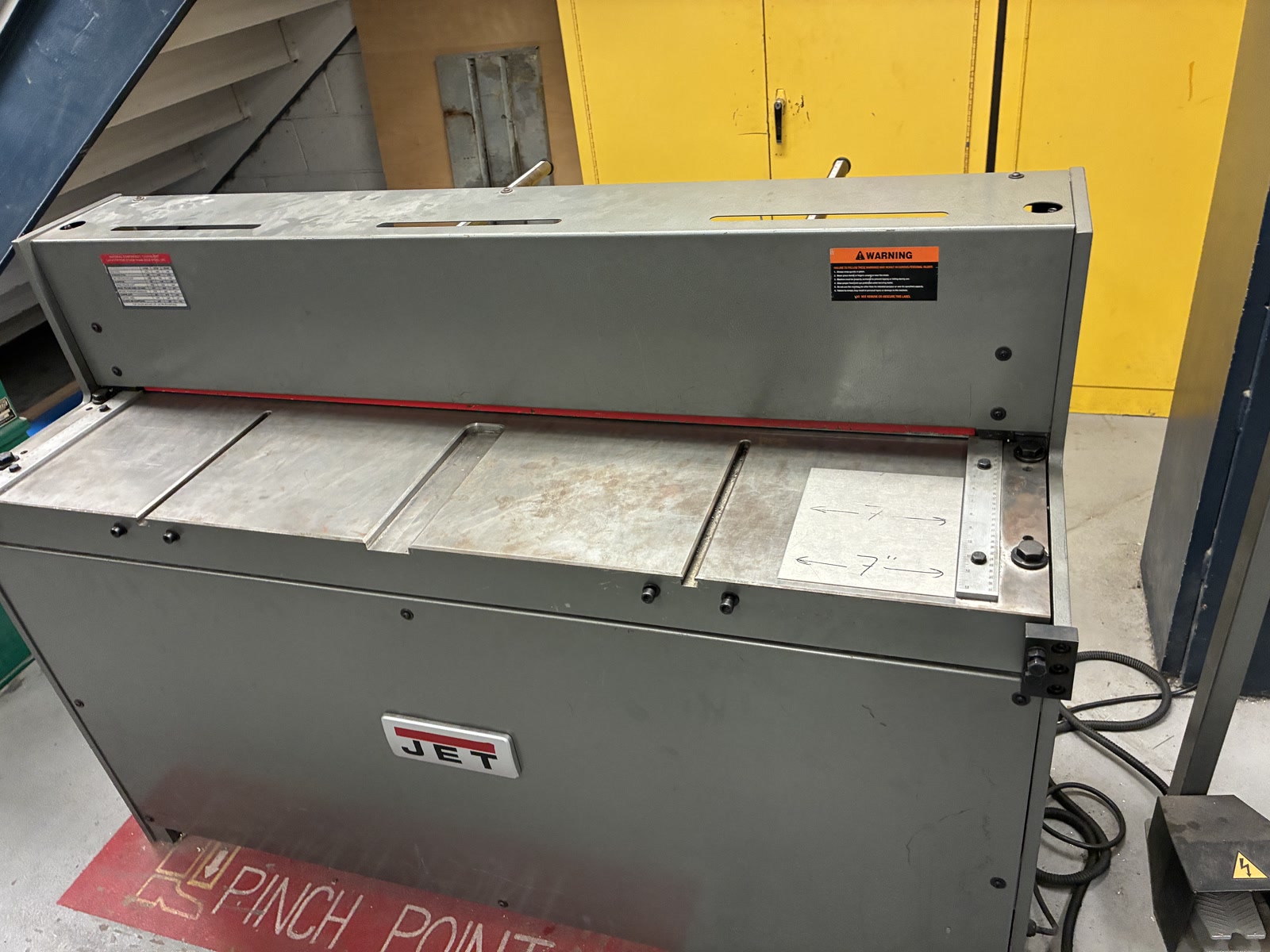 |
Shear. This machine was used to cut the sheet aluminum to size. |
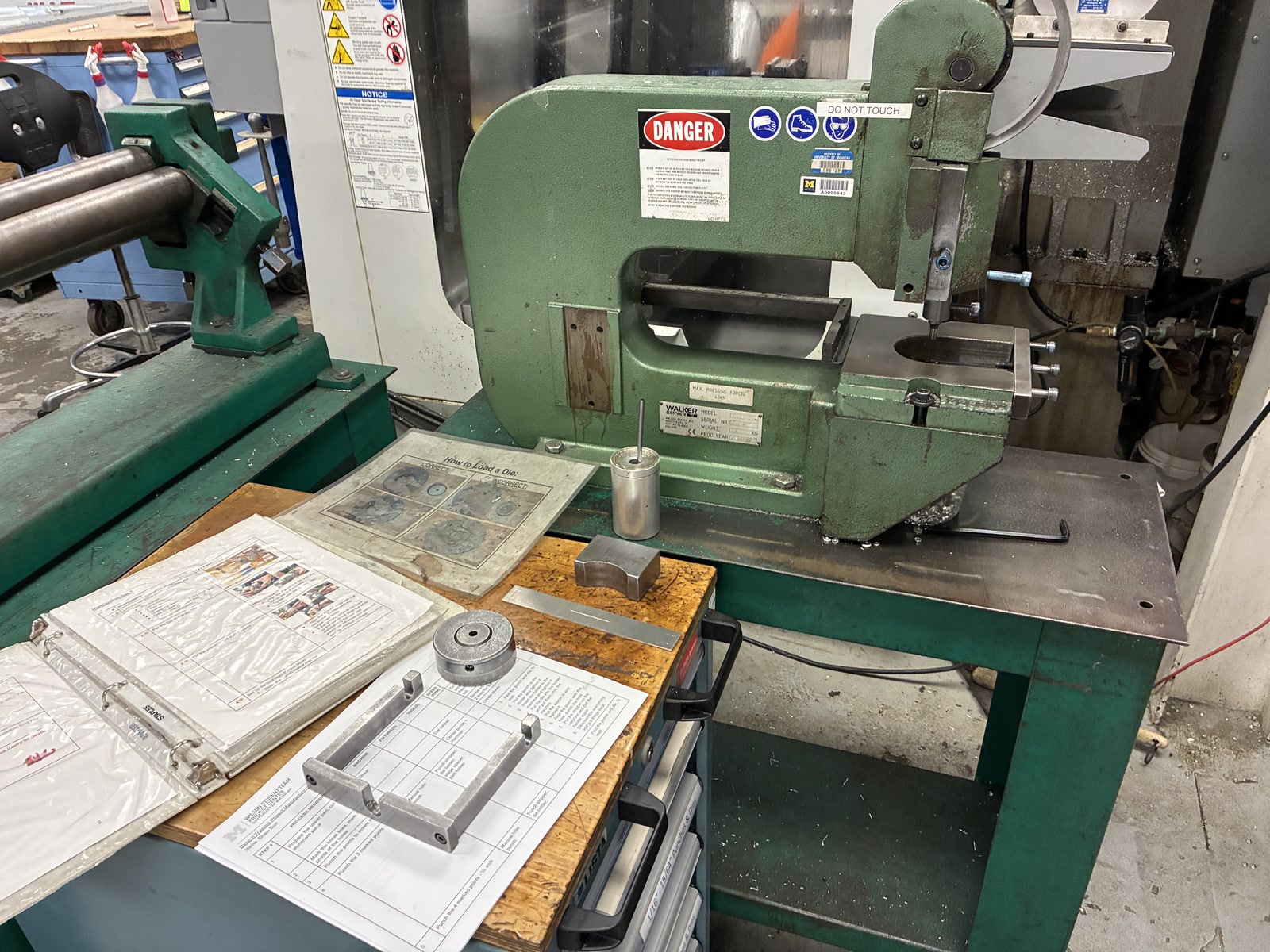 |
Manual hole punch. This machine was used to punch the holes in the sheet aluminum. |
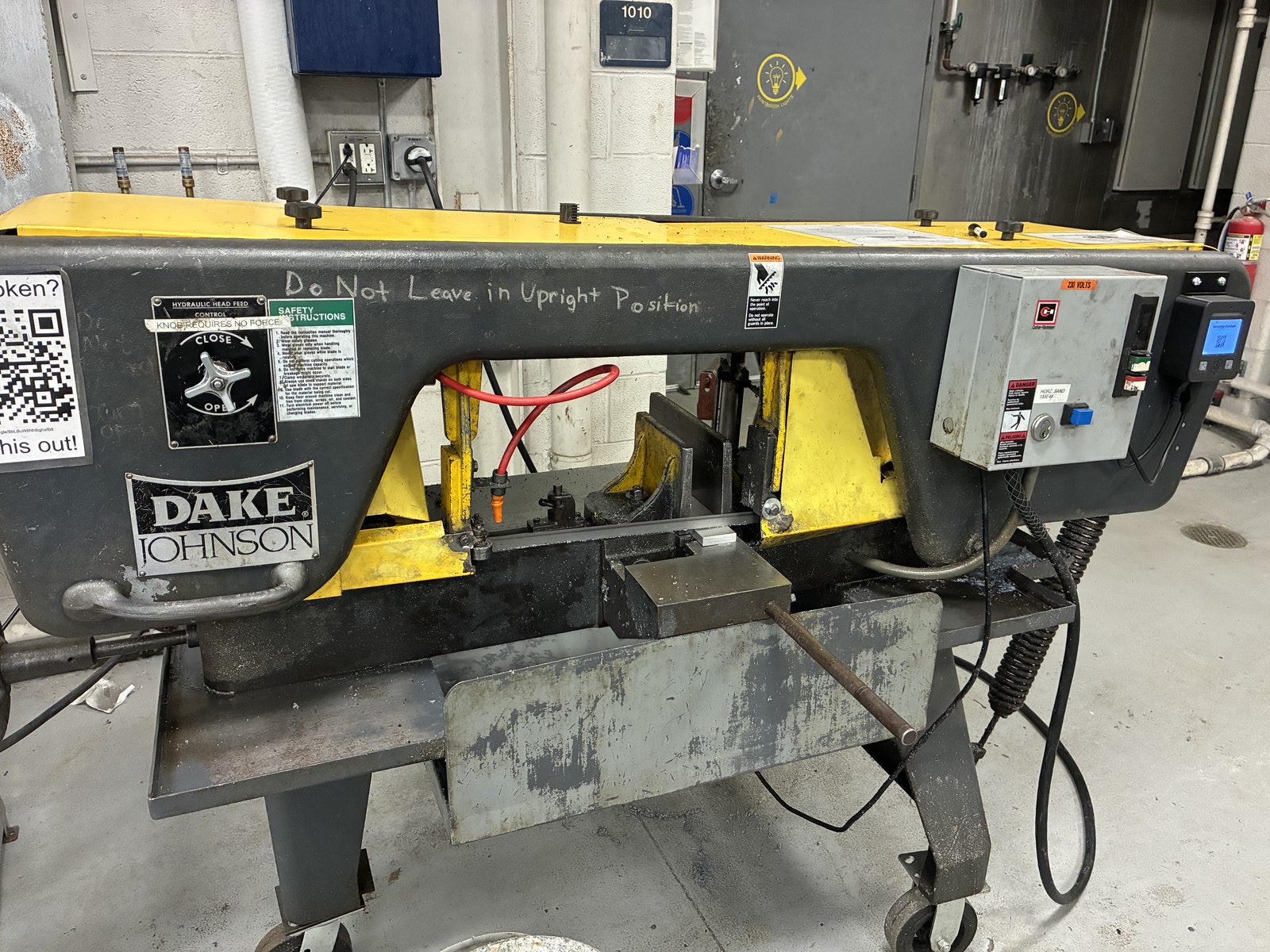 |
Horizontal bandsaw. This machine was used to cut the aluminum stock for the bottom piece. |
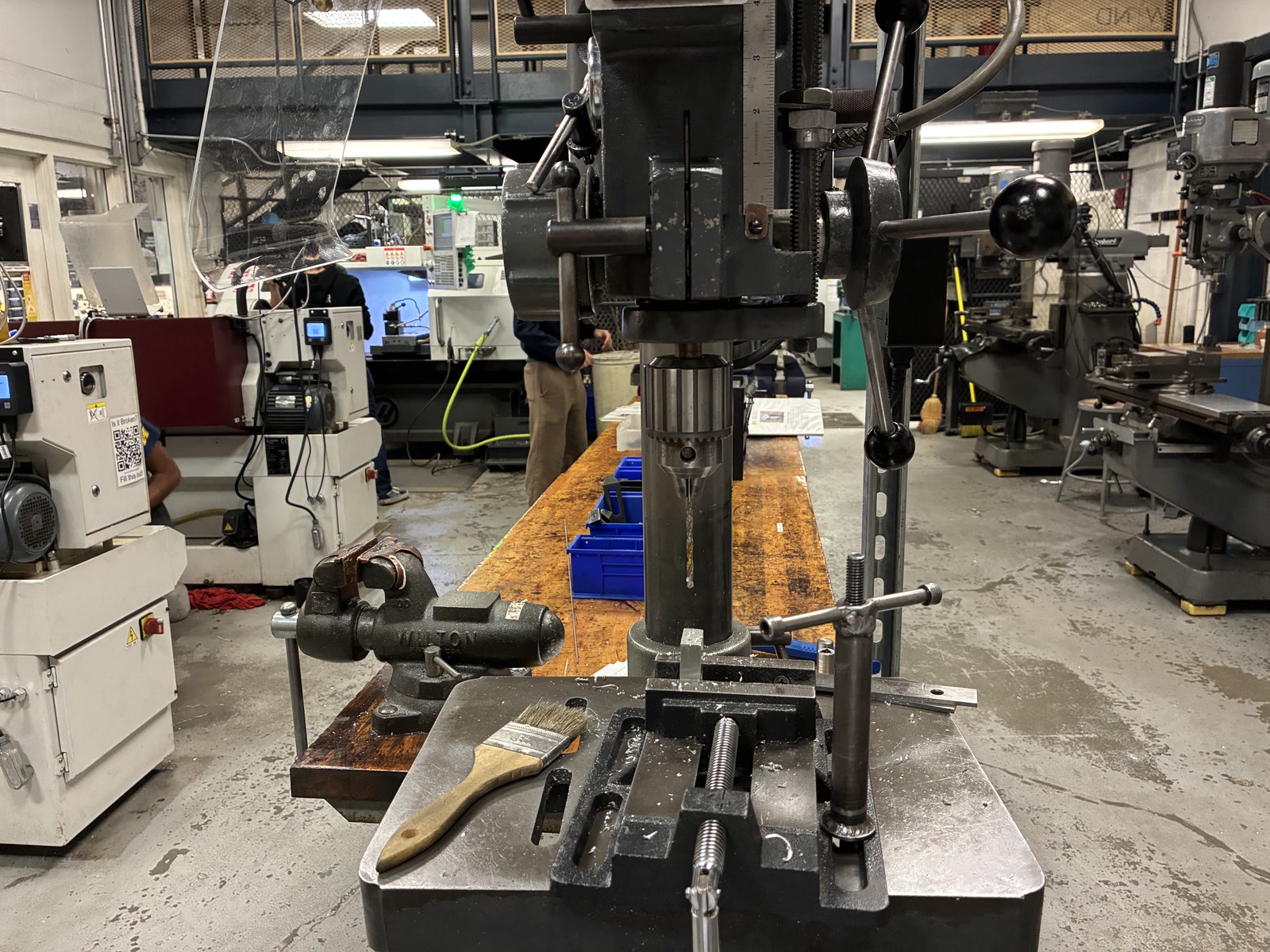 |
Drill press. This machine was used to drill the blind holes in the bottom piece. |
Dial calipers were used to measure the pieces and mark cut lines and hole locations. Files and deburring tools were used to smooth the edges and holes. A brake was used to bend the sheet aluminum, and a hand tap was used to cut internal threads in the bottom piece.
FRB Basics II - Soldering, CO2 Laser Cutting, 3D Printing
Location: Ford Robotics Building
Planned: October 23, 2026
This course introduces soldering, CO2 laser cutting, and 3D printing.
Machining
Manual Mill
Location: Wilson Center
Canvas Training: Completed
In-Person Training: Upcoming
A manual mill rotates the cutting tool while the workpiece stays in place. The main tools include:
- Shell Mill: Removes material from a large surface area.
- End Mill: Cuts sideways, and some can plunge vertically.
- Boring Bar: Enlarges an existing hole.
- Drill Chuck: Holds drill bits for drilling, not sideways cutting.
- Auto Drawbar: Tightens and loosens the drawbar for faster tool changes.
To get started, we need to first set zeros. The Digital Readout (DRO) displays the position of each axis. We need to establish the workpiece origin so we can use the DRO to position the cutter according to the drawing.
- For the X/Y axes, the workshop’s DRO only displays X and Y, so we use an edge finder to locate their zero positions.
- Slowly move the spinning edge finder toward the workpiece. When it touches the edge, its tip spins straight, then suddenly deflects to the side. At that point, the spindle center is still one edge finder radius away from the edge, so we need to compensate for that distance. For example, with a 0.100” radius, we can move the spindle center 0.100” toward the edge and then set the DRO to zero, or enter
X = -0.100"when approaching from the negative X direction.
- Slowly move the spinning edge finder toward the workpiece. When it touches the edge, its tip spins straight, then suddenly deflects to the side. At that point, the spindle center is still one edge finder radius away from the edge, so we need to compensate for that distance. For example, with a 0.100” radius, we can move the spindle center 0.100” toward the edge and then set the DRO to zero, or enter
- For the Z-axis zero, there are two methods:
- Cutting to Dimension: Slowly move the spinning cutter toward the workpiece surface until it produces a small chip. This establishes the Z reference but removes a small amount of material.
- Setting Z-Height: Use the knee and its mechanical dial. Raise the knee until the workpiece lightly touches the cutter, then set the dial to zero. Lower the knee for clearance. When ready to cut, raise it back to the reference height, then continue by the desired cutting depth.
Reaming improves the size and finish of an existing hole. Use a slower RPM, cutting fluid, and a slow, steady feed without peck drilling.
Tapping creates internal threads in drilled holes. We use a tap guide on the mill to keep the tap aligned, but still turn it manually. Turn approximately one full turn forward and half a turn backward to break the chips.
Manual Lathe
Location: Wilson Center
Canvas Training: Completed
In-Person Training: Upcoming
We use a Harrison M300 manual lathe. Unlike a mill where the cutting tool rotates, a lathe rotates the workpiece while the cutting tool removes material.
The lathe has two main axes:
- X-axis: Moves toward or away from the workpiece center, controlling the diameter.
- Z-axis: Moves along the workpiece, controlling the cutting position and length.
Backlash is the small amount of free movement when reversing a handwheel. To maintain accuracy, approach the target position from the same direction.
| Component | Function |
|---|---|
| Chuck | Holds and rotates the workpiece. |
| Saddle | Moves the cutting tool along the Z-axis. |
| Cross Slide | Moves the cutting tool along the X-axis. |
| Compound Rest | Can be rotated for angled cuts. |
| Tool Post | Holds the cutting tool in place. |
| Tailstock | Holds a drill chuck for drilling or a live center for support. |
| Live Center | Supports long workpieces and rotates with them. |
Three common cutting tools:
- Turning Tool: Cuts the Outer Diameter (OD).
- Boring Bar: Enlarges the Inner Diameter (ID) of an existing hole.
- Parting Blade: Cuts a finished part off the stock.
How to set zeros on lathe:
- On a manual mill, we mainly find zero by touching the workpiece. On a lathe, we establish our references by making small cuts.
- Facing: When setting Z, we make a shallow cut across the end face of the workpiece by moving the tool along X-axis. Set
Z = 0on the Digital Readout (DRO), the newly cut face becomes the Z reference for measuring cutting length. - Test cut: When setting X, we make a shallow cut along the workpiece’s outer diameter, then move the tool away along Z without changing X. Measure the new OD with a micrometer and enter that diameter as the X value on the DRO, rather than setting X to zero.
For drilling, the drill bit is held in the tailstock while the workpiece rotates. We use peck drilling and cutting fluid. For larger holes, we can drill a smaller hole first, then enlarge it with a boring bar.
For finishing, the workpiece rotates at a low speed (80–120 RPM) while we use a file to smooth the surface.
Parting uses a parting blade to cut a finished part off the stock. Unlike turning, the blade moves along the X-axis toward the center until the part is separated. If using the paper trick to find the cutting position, also account for the paper thickness (0.003–0.004”).
CNC ProtoTRAK Mill
Location: Wilson Center
Status: Not currently planned
This requires operator status, which will be gained after 30 hours of machine time and 10 parts.
Haas VF-2 Mill
Location: Wilson Center
Status: Not currently planned
This requires operator status, which will be gained after 30 hours of machine time and 10 parts.
CNC TL-1 Lathe
Location: Wilson Center
Status: Not currently planned
This requires operator status, which will be gained after 30 hours of machine time and 10 parts.
Haas SL-20 Lathe
Location: Wilson Center
Status: Not currently planned
This requires operator status, which will be gained after 30 hours of machine time and 10 parts.
Laser Cutting & Fabrication
Universal R9000
Location: FRB Robotics Makerspace
Completed: TBD
This course introduces the Universal R9000 laser cutter.
Fablight Metal Laser Cutter
Location: FRB Robotics Makerspace
Completed: TBD
This course introduces the Fablight FL4500 Tube & Sheet fiber laser cutter.
ProtoMAX Waterjet
Location: FRB Robotics Makerspace
Completed: TBD
This course introduces the ProtoMAX abrasive waterjet cutter.
ShopBot CNC Router
Location: Wilson Center
Completed: TBD
Welding
Location: Canvas
Completed: Completed
Welding training also starts with an online Canvas module, followed by in-person training at the Wilson Center. The module introduces the basics of arc welding.
Welding joins metal parts by using an electric arc to melt the metal at the joint. Shielding gas protects the molten metal from the air, preventing oxidation and porosity (tiny holes in the weld).
There are two main types of welding:
- TIG (Tungsten Inert Gas, or GTAW, Gas Tungsten Arc Welding): Similar to soldering, the electrode and filler metal are separate. A tungsten electrode creates the arc, while a separate filler rod adds material. Unlike soldering, TIG also melts the base metal. It is slower but offers more precise control, making it suitable for thinner materials and detailed work.
- MIG (Metal Inert Gas, or GMAW, Gas Metal Arc Welding): Similar to 3D printing, a metal wire is continuously fed into the weld. The wire acts as both the electrode and filler metal. MIG is generally faster and suitable for larger welds.
TIG 1
Location: Wilson Center
Completed: TBD
TIG 1 is the prerequisite for the other welding sessions.
Prepping for Welding: Clean metal is important for TIG welding. We use a sand blaster to remove rust, paint, and dirt, followed by a wire wheel to clean the surface. Never wear gloves when using the wire wheel.
Butt Joint: Joins two pieces of metal edge to edge. Thicker materials may need beveled edges and a small gap for better weld penetration. Multiple passes may be needed.
Fixturing and Distortion: Welding creates heat that can cause metal to bend as it cools. Use clamps or jigs to hold the workpiece, distribute heat, and allow cooling between passes.
Duty Cycle: Describes how long a welder can operate without overheating. For example, a 60% duty cycle means 6 minutes of welding and 4 minutes of cooling within a 10-minute period at the rated current.
TIG Torch: Consists of a tungsten electrode, collet, collet body, back cap, and gas cup. The tungsten creates the arc, while the gas cup directs shielding gas around the weld.
Tungsten Sharpening: The tungsten electrode needs a properly shaped tip to maintain a stable arc. We use a tungsten grinder to sharpen the tip when it becomes dull or contaminated.
Welder Setup: Connect the power, ground clamp, foot pedal, and shielding gas. Use AC for aluminum and DC for steel and stainless steel. Set the current and gas flow according to the material and equipment.
How to Weld: Hold the torch like a pencil and keep your hand steady. First, create a weld puddle, then add filler metal with a consistent rhythm.
TIG 2
Location: Wilson Center
Completed: TBD
MIG Welding
Location: Wilson Center
Completed: TBD
Aluminum Welding
Location: Wilson Center
Completed: TBD